Setup guide · Streamlit
Sustainability report analysis with AI on Streamlit
Deploy Open Sustainability Analyst on Streamlit Cloud for sustainability report analysis with AI — ESRS and TCFD frameworks, your OpenAI key, step-by-step screenshots. Render guide · Customize ESRS frameworks
Part 1
Install Open Sustainability Analyst on Streamlit Cloud
Streamlit runs the app from the report-analyst repo on GitHub.
-
Sign in to Streamlit Cloud
Open share.streamlit.io and sign in with GitHub — create an account first if needed.
-
Deploy Open Sustainability Analyst
Click Deploy an app. Set Repository to
climateandtech/report-analyst, Branch tomain, Main file path toreport_analyst/streamlit_app.py, then Deploy.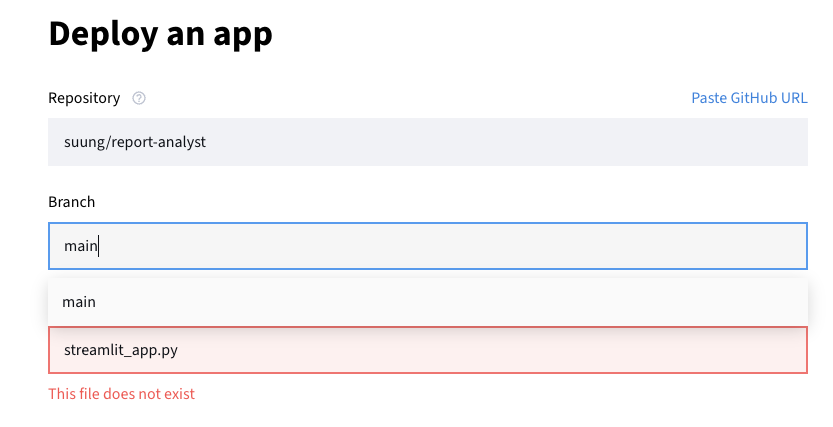
Use climateandtech/report-analyst unless you deploy a fork with custom frameworks. 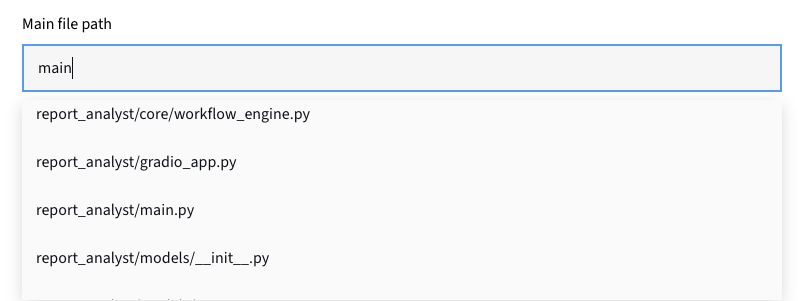
Main file path must be report_analyst/streamlit_app.py. -
Wait for the build
First deploys can take 10–20 minutes or longer. Click Manage app to check deployment status and logs while you wait.

“Your app is in the oven” — the build is still running. 
Manage app shows deployment status and logs. -
Expect an “API key” message
Without a key yet, you may see “No valid API keys found.” Normal — add your key in Part 2.
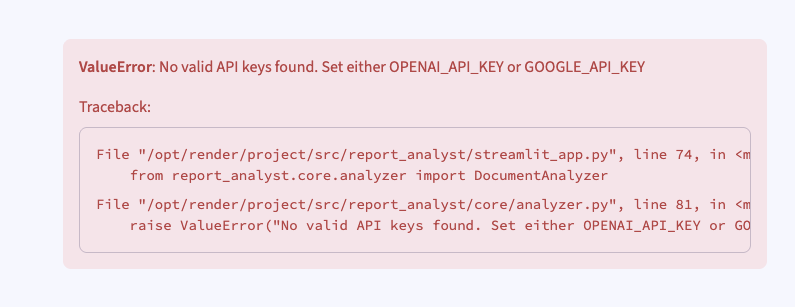
The app is running — it just needs your OpenAI key.
Part 2
Get your OpenAI API key and add it to Streamlit
Add your own OpenAI key in Streamlit Secrets.
A. Create your OpenAI API key
-
Create an OpenAI API key
At platform.openai.com/api-keys, click Create API key, name it, and copy the
sk-…key immediately — OpenAI shows it only once.Never share your key or commit it to a public repository.
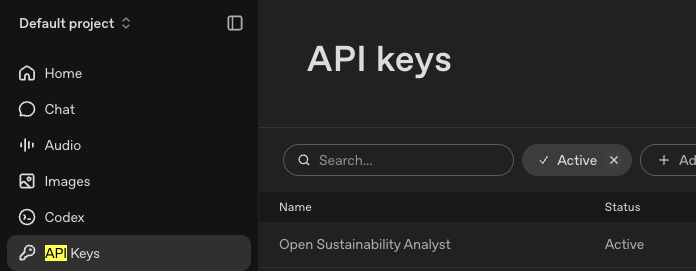
API keys page in the left-hand menu. 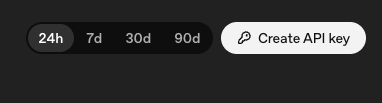
Click “Create API key”. 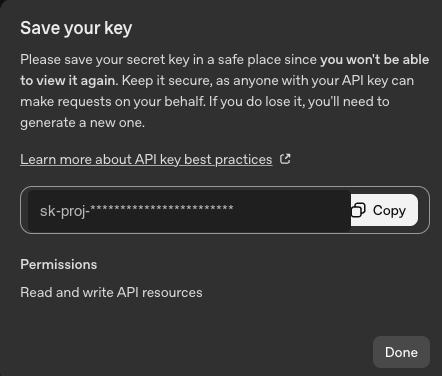
Copy and store the key safely. -
Enable billing
Add a payment method or credits under Settings → Billing — API usage is billed separately from ChatGPT.
B. Add the key in Streamlit Secrets
-
Add your key in Secrets
Click Manage app → Settings → Secrets. Add
OPENAI_API_KEY = "sk-…"and save — Streamlit redeploys automatically. Manage app → Settings → Secrets. -
Reload and analyse reports
After redeploy, reload your app. Upload a sustainability report and pick a framework — ESRS-oriented and TCFD sets are built in.
Custom frameworks
Deploy your fork for custom ESRS analysis
For custom ESRS analysis, fork the repo, edit the YAML, and deploy your fork.
-
Fork the repo, then deploy your copy
Custom ESRS frameworks live in your fork. Click Fork on GitHub — see the customize frameworks guide for editing YAML.
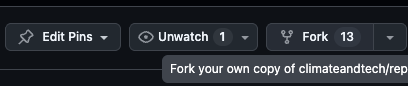
Fork before you edit question sets or deploy. -
Deploy your fork on Streamlit
In the deploy form, set Repository to your fork (e.g.
your-username/report-analyst), branchmain, pathreport_analyst/streamlit_app.py.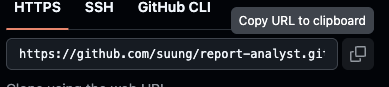
Copy your fork URL from GitHub Code → HTTPS. Wrong repo or path triggers “This file does not exist”.
Troubleshooting
Streamlit says “This file does not exist”
Check the repository name and set the main file path to report_analyst/streamlit_app.py. For custom frameworks, use your fork URL.
I still see “No valid API keys found”
Open Manage app → Settings → Secrets and confirm OPENAI_API_KEY is set. Wait for the redeploy to finish, then reload.
The deploy seems stuck
First builds often take 10–20 minutes or longer. Click Manage app to check deployment status and logs — if it is still running, wait before trying again.
My custom framework is missing
You must deploy your fork after committing the YAML file. See the deploy your fork section.
Need a hand?
Need guided help or a managed setup? Use Try OSA now! or contact us.